



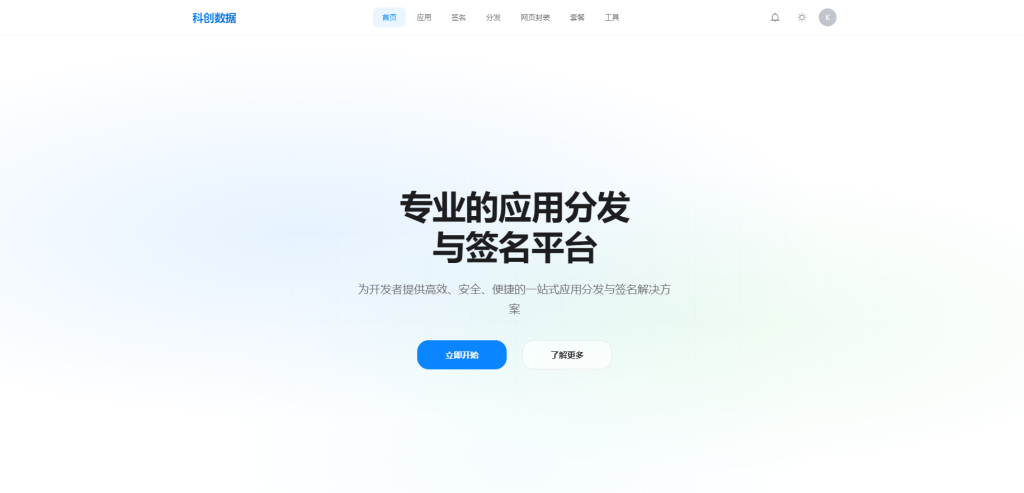
 安装环境:宝塔CentOS 7.6—PHP7.4—MysqQl.5.6
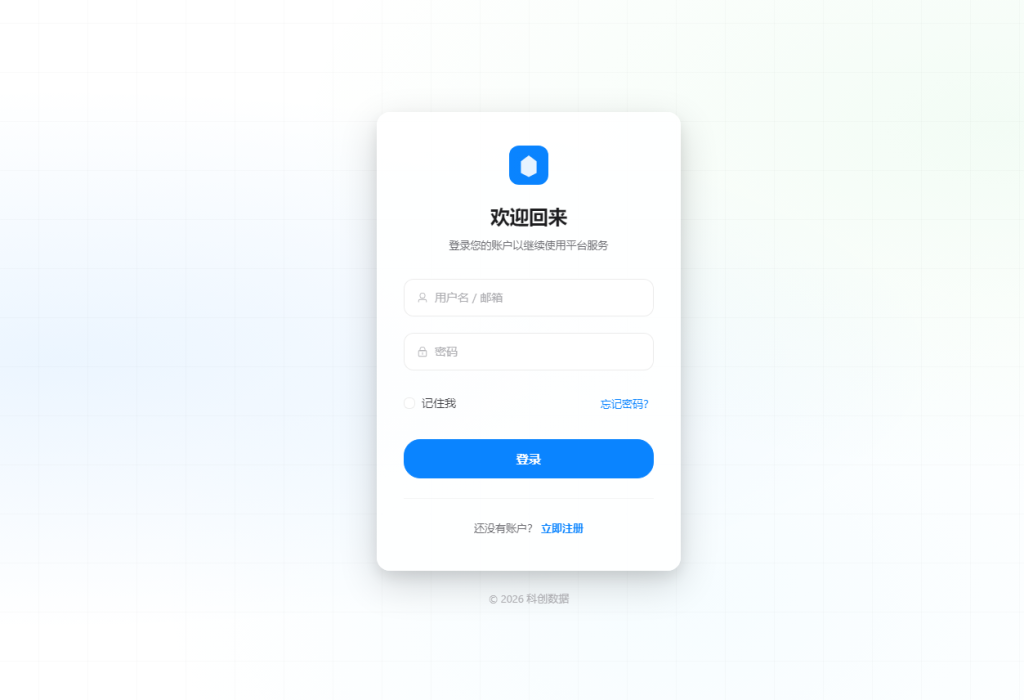
教程开始
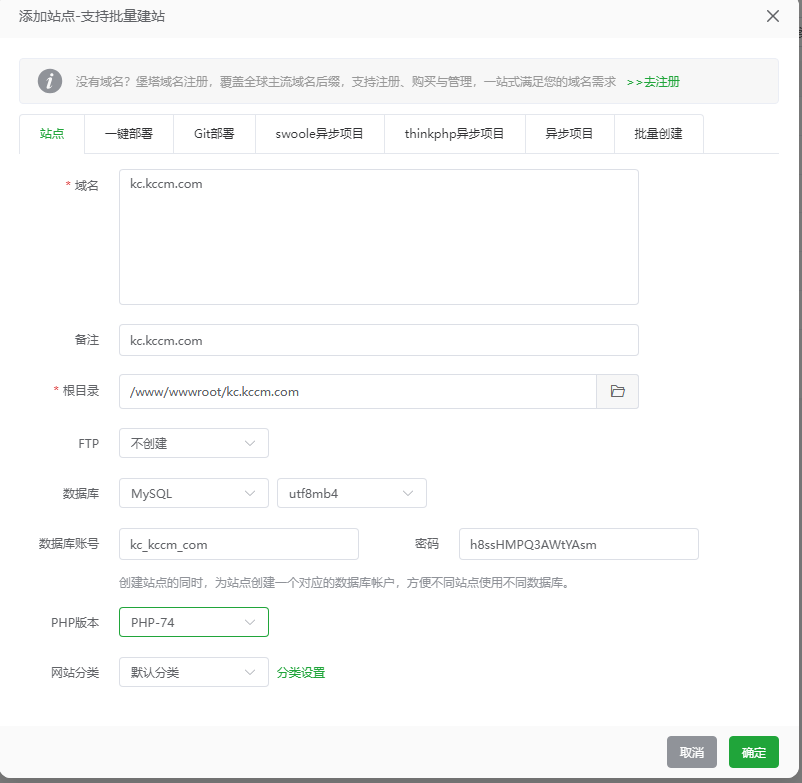
新建站点:
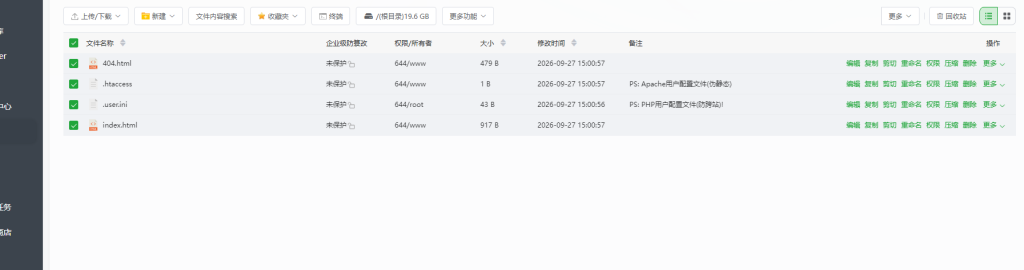
删除新建多余文档:
在新建根目录上传源码:
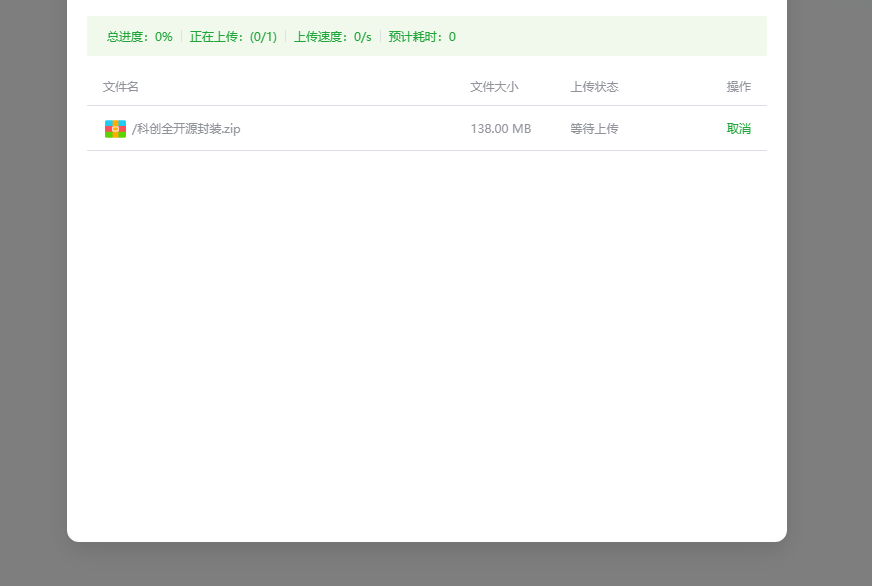
上传完成后解压源码包:
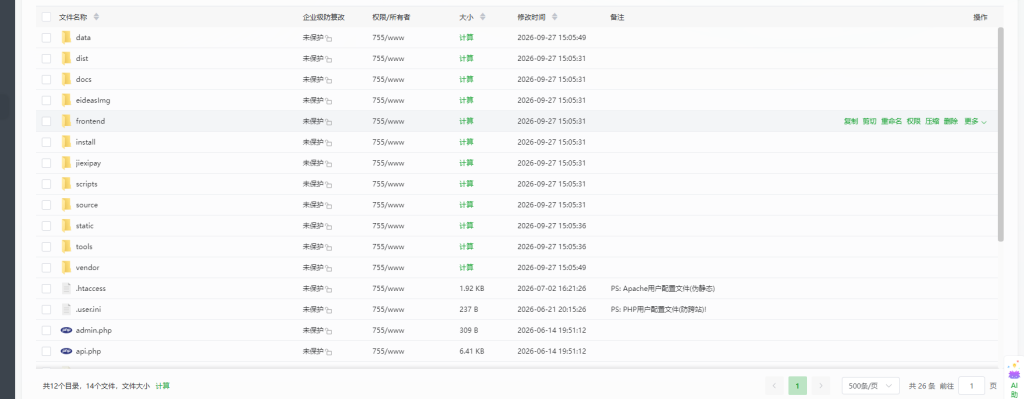
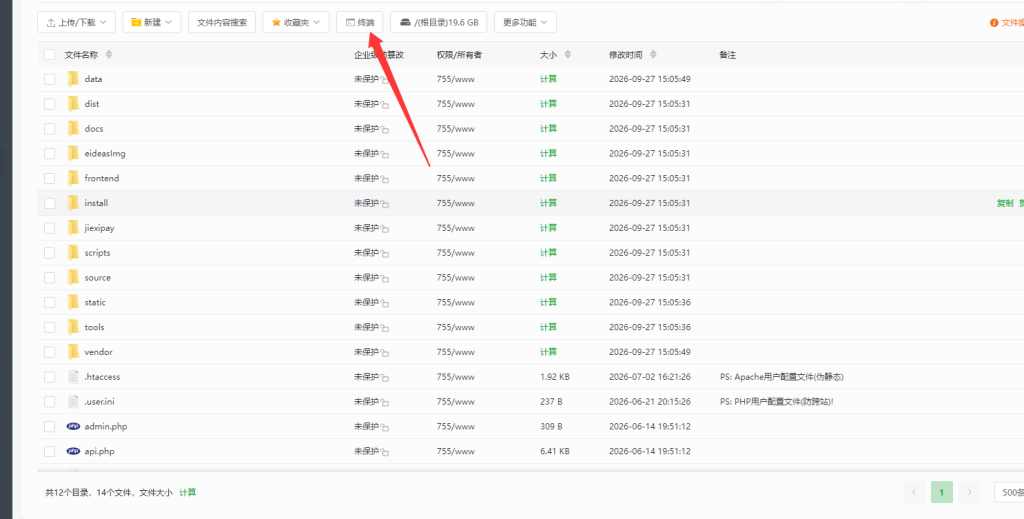
在新建站点根目录终端安装依赖:
依赖代码:
将此代码复制到下图框中按回车确认安装 bash install.sh –domain app.example.com –php-user www –china-mirror –with-wine
等待安装依赖完成。
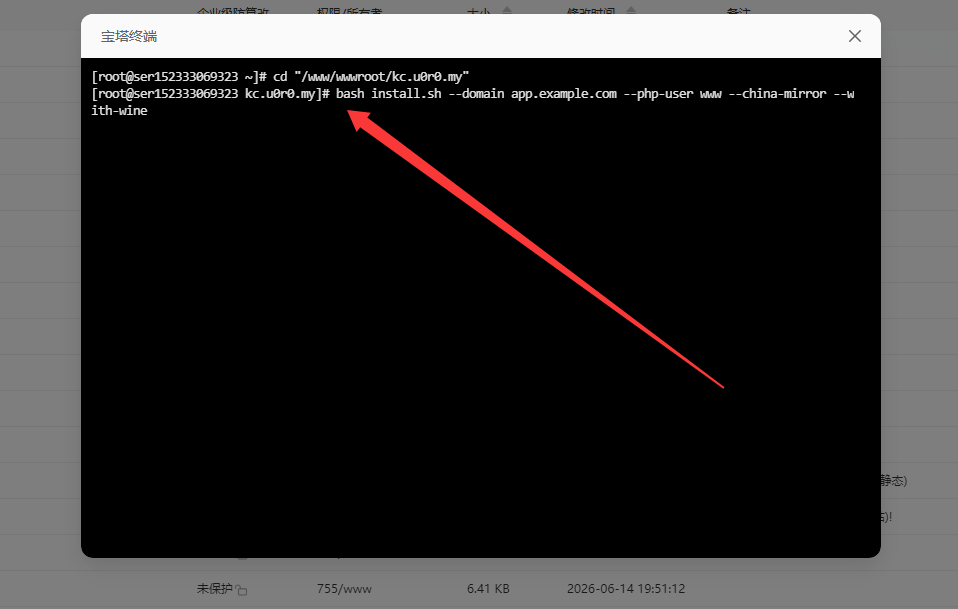
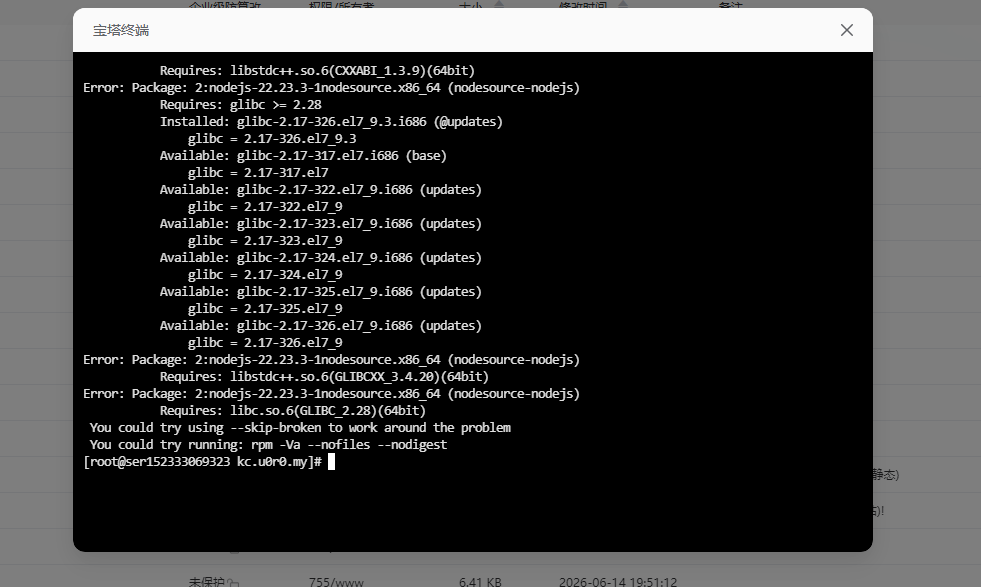
安装到如下图显示root@ser出现就算安装完成后就可关掉终端显示。
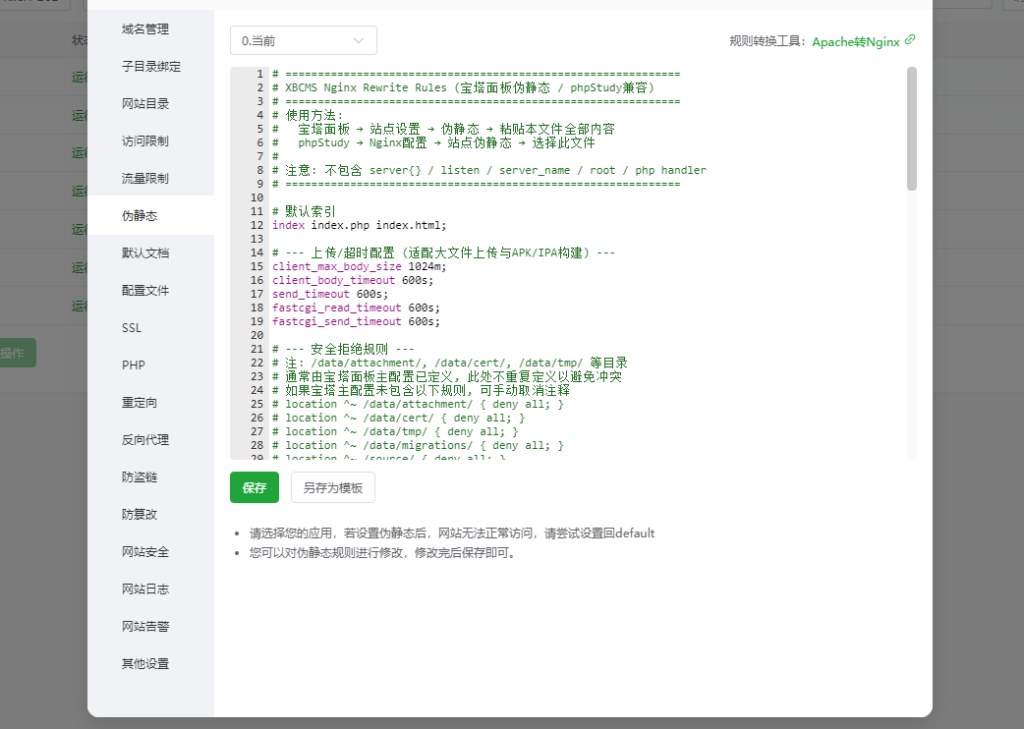
然后进入网站 → 找到你的站点 → 点击进去 点击左侧 设置伪静态:把下方代码复制到伪静态栏保存。
# =============================================================
# XBCMS Nginx Rewrite Rules (宝塔面板伪静态 / phpStudy兼容)
# =============================================================
# 使用方法:
#   宝塔面板 → 站点设置 → 伪静态 → 粘贴本文件全部内容
#   phpStudy → Nginx配置 → 站点伪静态 → 选择此文件
#
# 注意: 不包含 server{} / listen / server_name / root / php handler
# =============================================================

# 默认索引
index index.php index.html;

# --- 上传/超时配置 (适配大文件上传与APK/IPA构建) ---
client_max_body_size 1024m;
client_body_timeout 600s;
send_timeout 600s;
fastcgi_read_timeout 600s;
fastcgi_send_timeout 600s;

# --- 安全拒绝规则 ---
# 注: /data/attachment/, /data/cert/, /data/tmp/ 等目录
# 通常由宝塔面板主配置已定义, 此处不重复定义以避免冲突
# 如果宝塔主配置未包含以下规则, 可手动取消注释
# location ^~ /data/attachment/ { deny all; }
# location ^~ /data/cert/ { deny all; }
# location ^~ /data/tmp/ { deny all; }
# location ^~ /data/migrations/ { deny all; }
# location ^~ /source/ { deny all; }
# location ^~ /vendor/ { deny all; }
# location ^~ /frontend/ { deny all; }
# location ^~ /scripts/ { deny all; }
# location = /worker.php { deny all; }
# location = /install/schema.sql { deny all; }

# 拒绝隐藏文件 (.git, .env, .htaccess等)
location ~ /\. {
    deny all;
}

# 拒绝敏感文件类型
location ~* \.(sql|bak|log|ini|lock)$ {
    deny all;
}

location ~* /composer\.(json|lock)$ {
    deny all;
}

# --- 安全响应头 ---
add_header X-Content-Type-Options "nosniff" always;
add_header X-Frame-Options "SAMEORIGIN" always;
add_header Referrer-Policy "strict-origin-when-cross-origin" always;

# --- API 路由 (优先匹配) ---
# 注: 宝塔 PHP handler 需使用 location ~ \.php(.*)$ 格式以支持 PATH_INFO
# 如果使用 location ~ \.php$ (不支持PATH_INFO), 请改为 \.php(.*)$
location ^~ /api/ {
    rewrite ^/api/(.*)$ /api.php/$1 last;
}

# --- 安装路由 ---
location = /install {
    rewrite ^ /install.php last;
}

# --- SPA路由与同名物理目录冲突处理 ---
# /tools 和 /docs 是 Vue Router 路由, 但项目中也有同名目录
# 必须强制走 index.php 避免 try_files 匹配到物理目录
# 注: 不追加路径到 index.php, PHP 通过 REQUEST_URI 获取原始路径
location ^~ /tools {
    rewrite ^ /index.php last;
}

location ^~ /docs {
    rewrite ^ /index.php last;
}

# --- 静态资源 (dist/assets 由 index.php 代理读取) ---
# Vite 构建产物带 hash, 可长缓存; 优先直读 dist/, 否则交给 PHP
location ^~ /assets/ {
    try_files /dist$uri /index.php?$query_string;
}

# --- SPA 主路由 ---
# 优先物理文件(favicon.ico, admin.php等), 不存在则全部交给 index.php
# 注: 不追加 $uri 到 index.php, 确保兼容 location ~ \.php$ handler
# PHP 通过 $_SERVER['REQUEST_URI'] 获取原始路径
location / {
    try_files $uri $uri/ /index.php?$query_string;
}
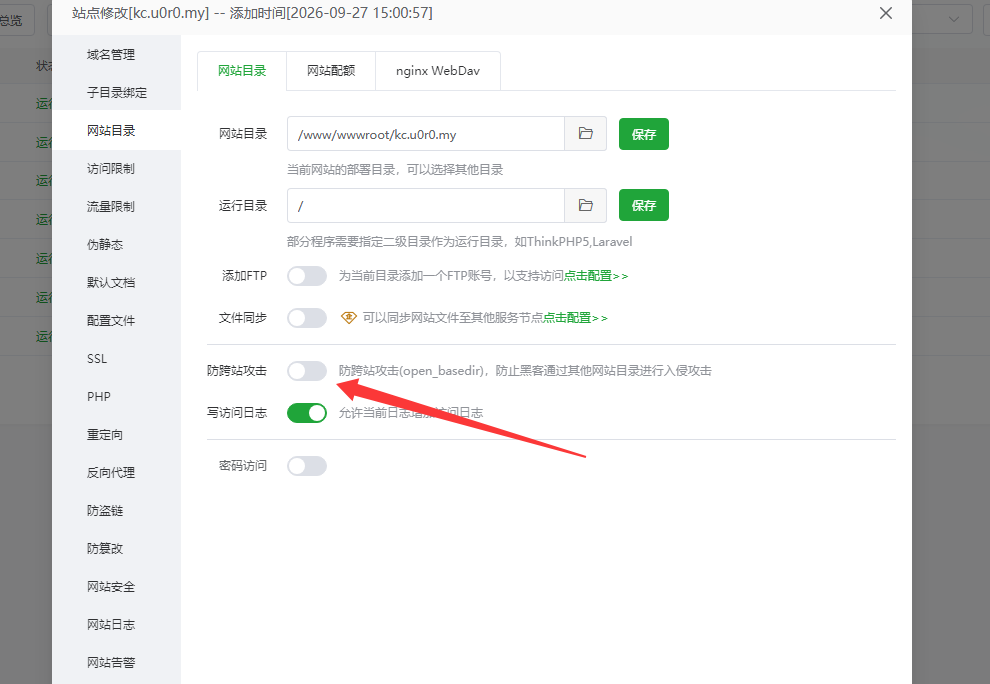
再进网站目录关掉防跨站攻击(open_basedir) → 取消勾选,如果是显示关掉了的就不用管它
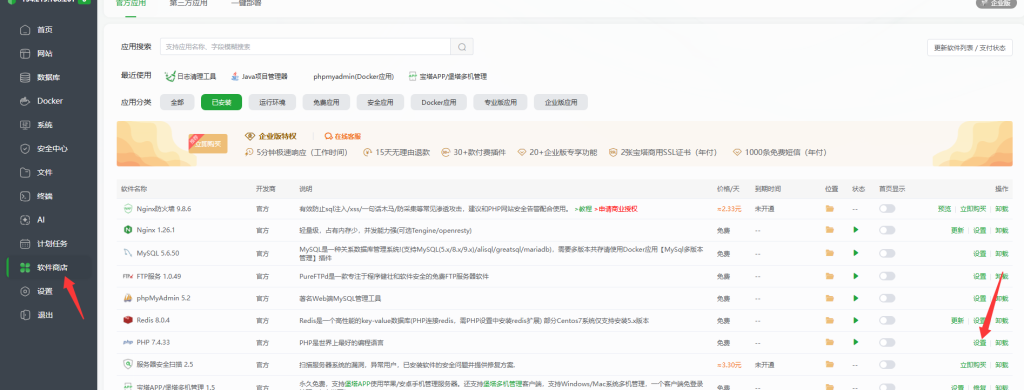
进入软件商店找到 → 7.4PHP版本进入设置
设置 → 禁用函数 → 找到这几个参数 exec、proc_open、shell_exec、proc_get_status、proc_close 删除。
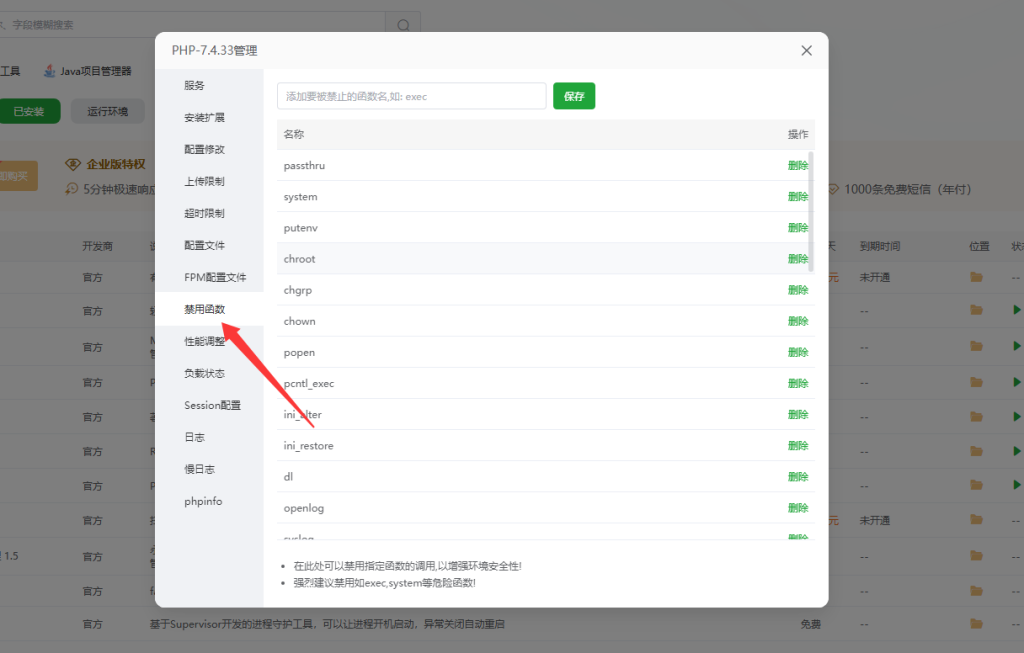
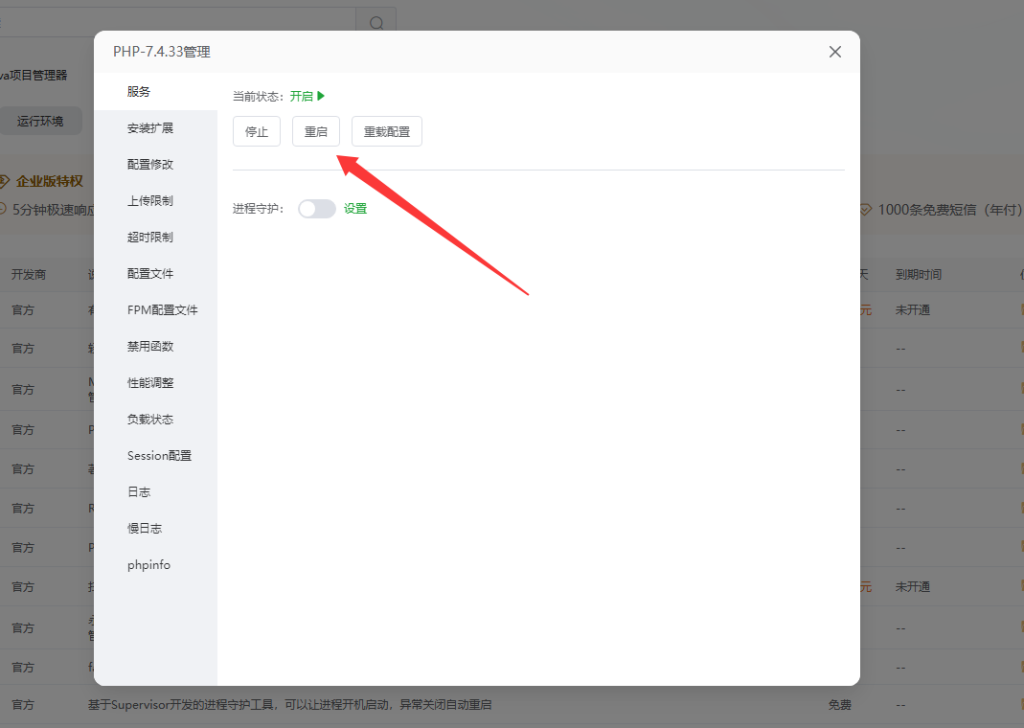
删除完成全重启 PHP7.4
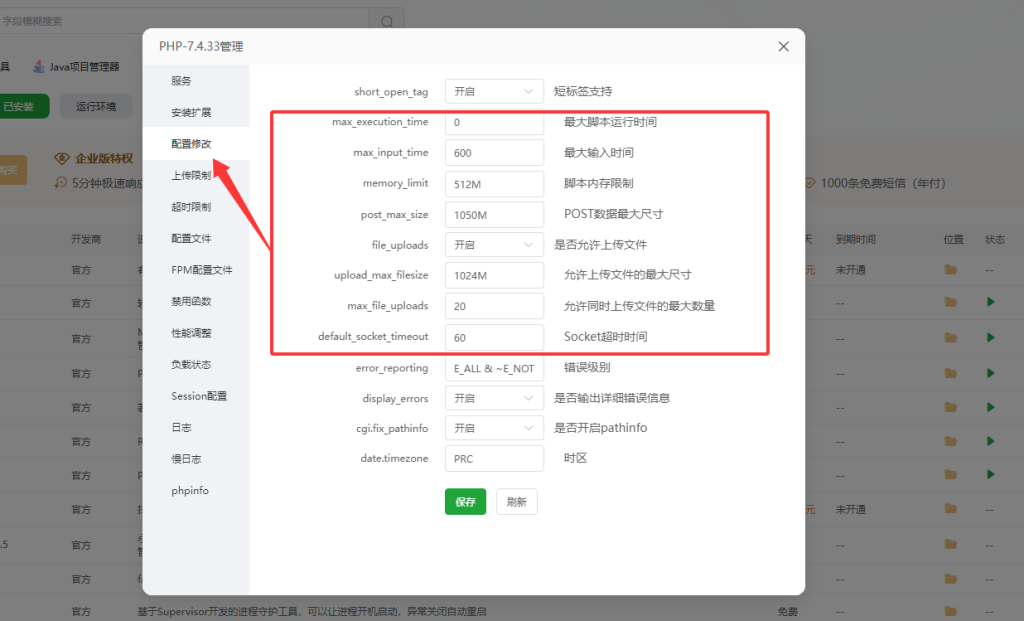
再次进入 PHP 7.4 的“配置修改”,设置参数参照:
memory_limit = 512M
upload_max_filesize = 1024M
post_max_size = 1050M
max_execution_time = 0
max_input_time = 600
最后宝塔终端目标文件夹执行一下文件
代码: bash install.sh –domain https://app.novps.cn –php-user www –china-mirror –with-wine
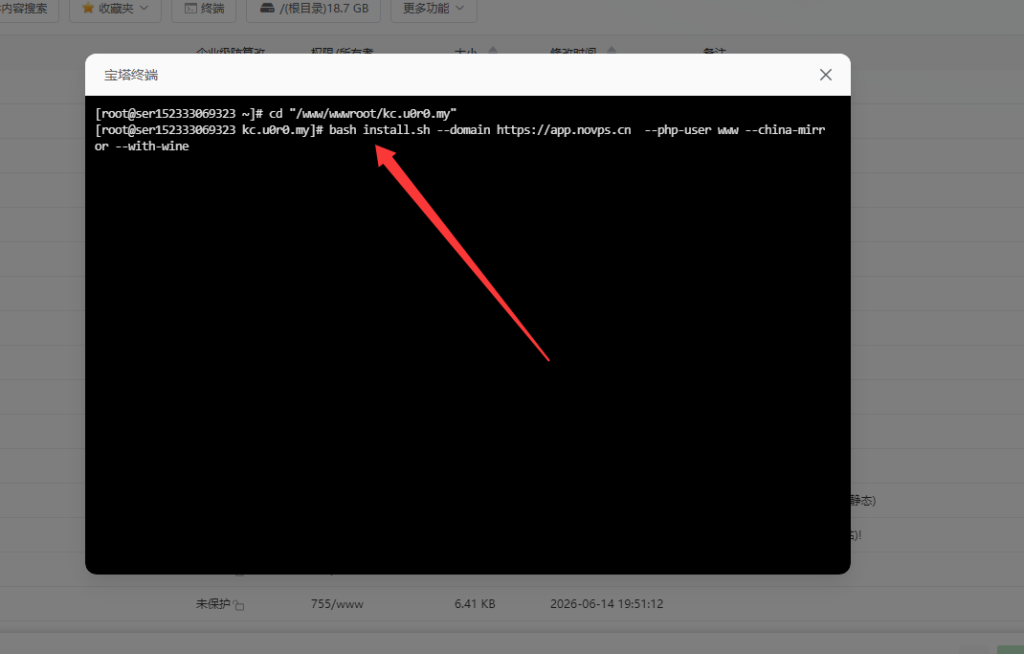
按回车完成!
在tools/windows-packager
执行 npm run build-template
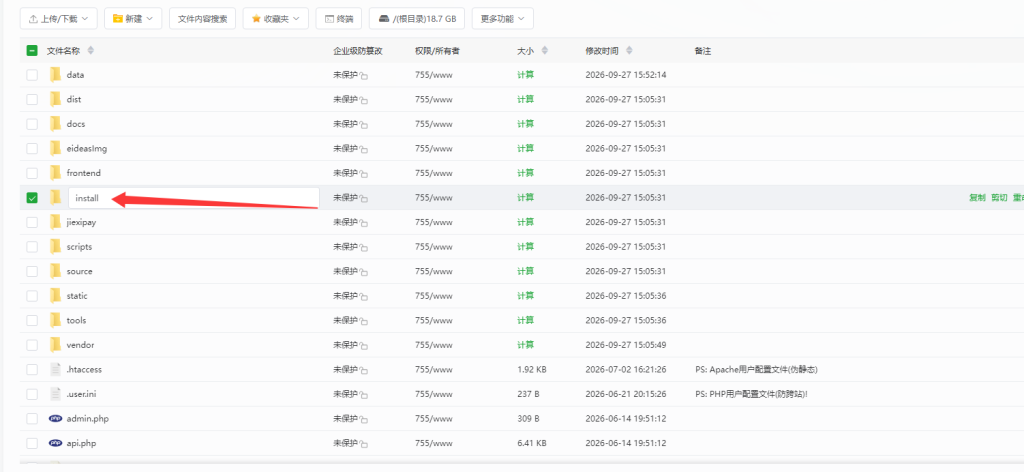
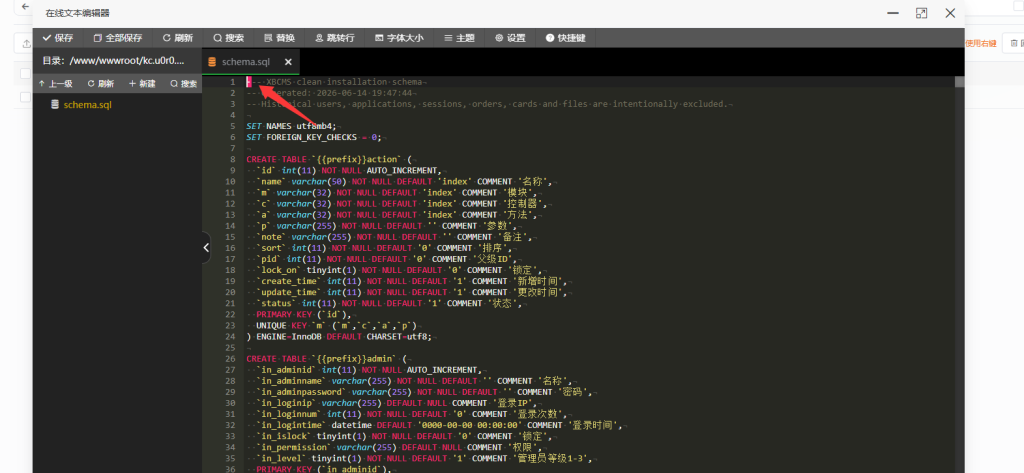
进入根目录找到install文件双击进去修改数据库数据
找到箭头的那个小线点删除保存。
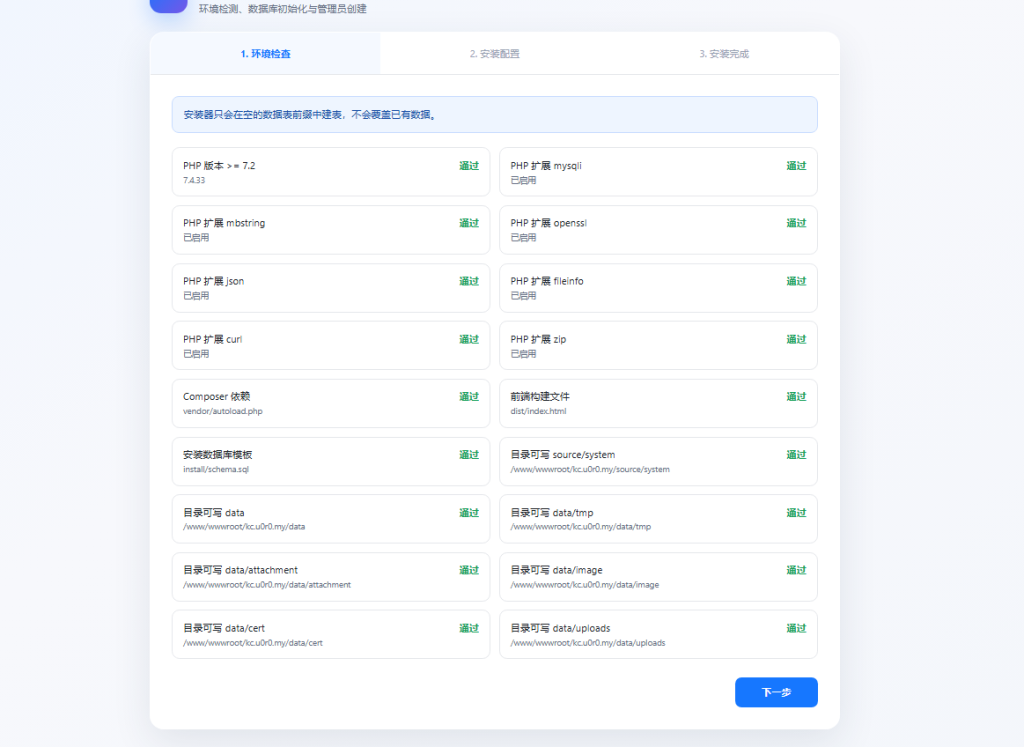
访问网站进行在线安装:
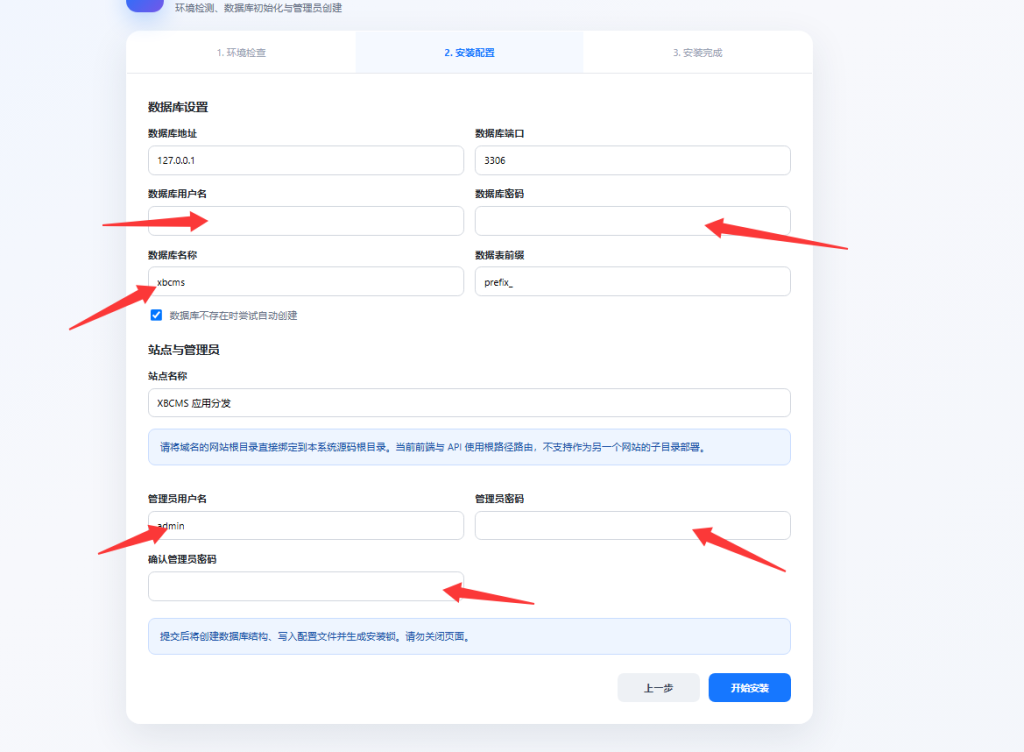
按箭头框填写数据完成填写,然后开始安装
看到这个界面就代表安装完成:
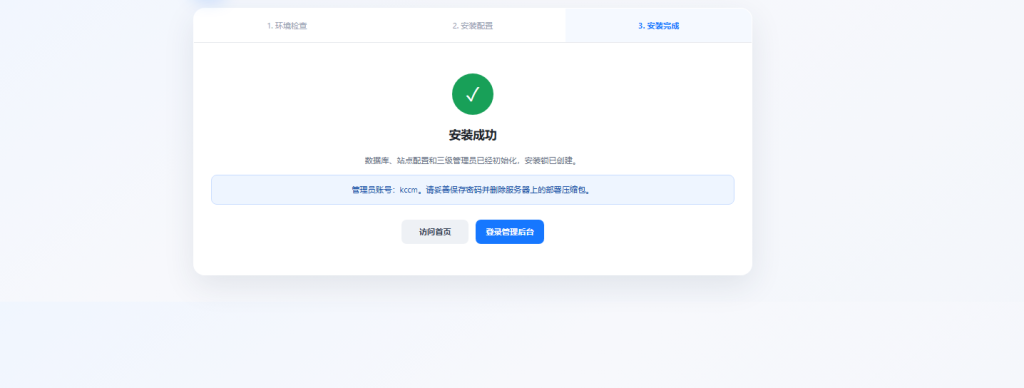
前台访问:https://域名/
后台访问:https://域名/admin/login
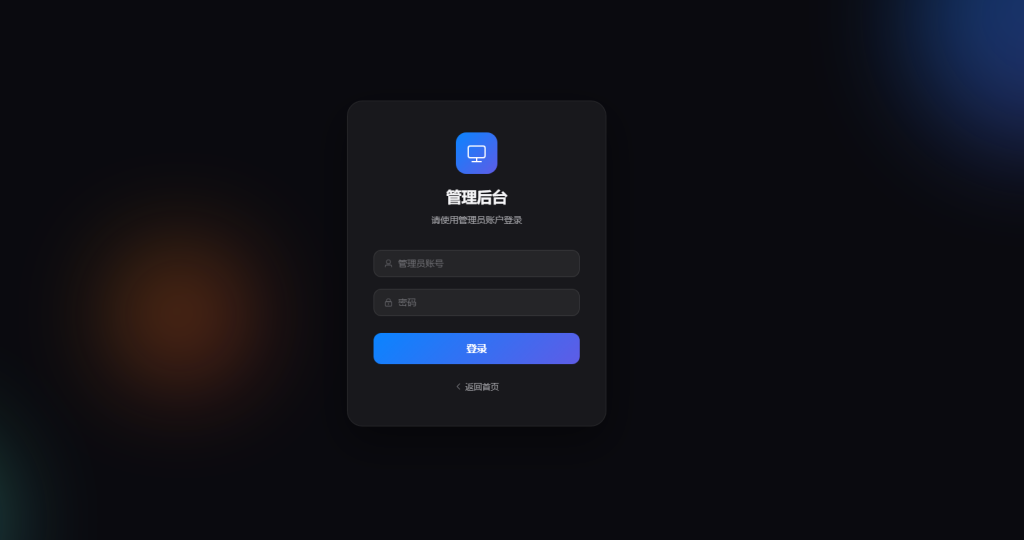
部署完成。
1. 本站资源售价只是赞助,收取费用仅维持本站的日常运营所需。
2. 本站提供的所有资源仅供本地单机参考学习使用,不存在任何商业目的与商业用途,请大家不要用于商用!
3.如果本站有侵犯、不妥之处的资源,请在网站右边客服联系我们。将会第一时间解决!若侵犯到您的权益,请联系站长邮箱:3579555325@qq.com 我们会在24h小时之内进行删除处理。













 加入QQ群
 关注微信公众号
 联系我们
 请求更新







暂无评论内容